Updated 2026 | by Azam Malik
🟢 TL;DR Quick Answer
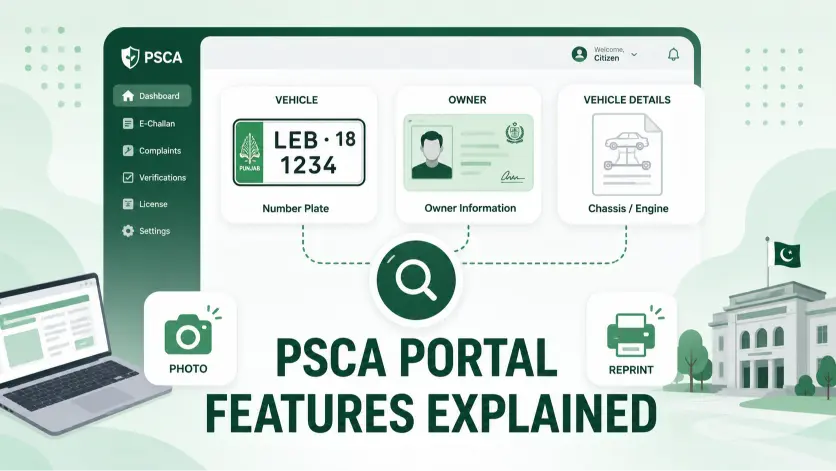
The PSCA e-challan portal at echallan.psca.gop.pk offers more than a single search box — you can look up a challan by vehicle number, CNIC, or in some cases chassis number, reprint a paid or pending challan for your records, and view full photographic evidence for every violation. This guide covers each of those features individually, so you know exactly which option to use for your specific situation.
📋 Key Facts
- The portal supports three lookup methods: vehicle number, CNIC, and chassis number (used in specific cases)
- Every challan can be reprinted as a PDF directly from its detail page
- Photographic evidence is attached to every camera-issued challan, viewable without needing to request it separately
- For the general step-by-step check process and fine amounts, see our complete guide to checking e-challan online
Why This Guide Exists
Our main e-challan check guide walks through the standard process — enter your vehicle number or CNIC, search, view your results. This article goes a level deeper into the portal itself: the less obvious search options, what each result field actually shows you, and features people often don’t realize exist until they need them.
The Three Ways to Search the Portal
Most people default to searching by vehicle number, but the portal actually supports three distinct methods, and each is better suited to a different situation.
Vehicle Registration Number
The fastest option when you have the plate in hand and want to check one specific vehicle. Enter it exactly as printed, including the city code (e.g., LEA-1234). This is the right choice when you’ve received an SMS about one specific vehicle and just want to confirm the details.
Step by step: Open echallan.psca.gop.pk, select “Vehicle Number” as your search type, type the registration number exactly as it appears on the plate, complete the CAPTCHA, and click Search. Results for that single vehicle appear within seconds.
13-Digit CNIC
Useful when you want to see every challan linked to your DLIMS driving record rather than a single vehicle — for example, if you own multiple vehicles and want a combined view, or you’re not entirely sure which of your vehicles a challan SMS was referring to. For a full breakdown of when CNIC search is the better choice versus vehicle number alone, see our guide on checking e-challan by CNIC and vehicle number.
Step by step: Select “CNIC” as the search type instead of vehicle number, enter your 13-digit CNIC without any dashes or spaces, complete the CAPTCHA, and search. The results list every vehicle and challan tied to that CNIC in the DLIMS database, not just one plate.
Chassis Number
Less commonly needed, but the portal can require this in specific cases — typically when a vehicle’s registration record has an inconsistency, or when the vehicle number search doesn’t return a clean match and the system needs an additional identifier to confirm which vehicle you mean. If you’re not sure where to find your chassis number, it’s stamped on the vehicle frame, usually near the engine bay or driver’s side dashboard.
When you’ll actually need this: if a vehicle number search comes back empty despite you being certain a challan exists, or if you’re verifying a vehicle before purchase and want to cross-check its chassis number against the registration on file — a mismatch here is a serious red flag worth investigating before any money changes hands.
Comparing the Three Methods at a Glance
| Method | Best For | Speed | Shows |
|---|---|---|---|
| Vehicle Number | Checking one specific plate | Fastest | Challans for that vehicle only |
| CNIC | Checking everything under your name | Moderate | All vehicles tied to your CNIC |
| Chassis Number | Resolving mismatches or verification | Slower, situational | Confirms vehicle identity when other methods fail |
Feature: Reprinting a Challan
Every challan on the portal — paid or pending — can be reprinted as a PDF directly from its detail page. This is worth knowing about specifically if:
- You need a physical copy for your own records after paying
- You’re disputing a challan and need to submit a printed copy alongside your appeal documents
- Your original SMS notification is no longer accessible and you need the challan reference number again
- You’re keeping a paper trail across multiple vehicles for a fleet or family account
To use it: search your vehicle or CNIC as usual, open the specific challan from your results list, and look for the reprint or download option on the detail page. The reprinted document includes the same violation details, fine amount, and reference number as the original — it’s a full duplicate, not a summary.
Feature: Photographic Evidence
Every camera-issued challan includes the actual image captured at the moment of the violation — not just a text description of what happened. This is available directly on the challan’s detail page, without needing to file any separate request.
This matters most in two situations: confirming a challan is genuine before you pay it (compare the vehicle, plate, and location against your own knowledge of where you were), and gathering evidence if you plan to dispute it. If the image clearly shows a different vehicle or a mismatched plate, that’s meaningful evidence for an appeal.
What to Actually Look For in the Image
Don’t just glance at the photo and move on — a careful look can save you from paying a challan that isn’t genuinely yours. Check these four things specifically:
- The vehicle’s body style and color — a sedan photographed as a hatchback, or a white car flagged as silver, is worth questioning
- The number plate itself — zoom in if the portal allows it; a single misread character is the most common cause of a wrongly issued challan
- The location stamp — does it match a road or intersection you’d realistically have been on at that time
- The timestamp — cross-check against your own memory or, if needed, your phone’s location history for that date
If two or more of these don’t add up, that’s a legitimate basis for a dispute rather than just paying it to avoid the hassle.
Reading the Result Fields Correctly
A few of the portal’s result fields are worth understanding beyond their face value:
Camera location isn’t just a road name — it typically references the specific intersection or Safe City camera point, which can help you confirm or dispute whether you were actually at that location on the date shown.
Status: “Under Process” specifically means the violation has been detected but the challan record is still being finalized — this is different from “Pending,” which means the challan is fully issued and awaiting payment. If you see “Under Process,” there’s nothing to pay yet; check back in a day or two.
PSID appears only once a challan reaches “Pending” status — it won’t show while a challan is still “Under Process,” since the payment reference isn’t generated until the challan is finalized.
Violation code or type field sometimes uses shorthand terminology rather than a full description. If a violation type isn’t self-explanatory from what’s shown, the photographic evidence on the same page usually clarifies exactly what was recorded.
Browser and Device Tips for Using the Portal
The portal generally works fine on any modern browser, but a few practical notes can save you frustration:
- Desktop vs. mobile — the desktop version tends to load more reliably during high-traffic periods; if the mobile site is slow or the CAPTCHA won’t render properly, switching to a desktop browser (or requesting the desktop site on mobile Chrome) often resolves it
- Clearing cache — if you’ve searched the same vehicle number recently and the portal seems to be showing stale results, clearing your browser cache before searching again ensures you’re seeing the current record
- Peak traffic times — like most government portals, response times can slow down during business hours on weekdays; early morning or evening searches tend to load faster
- Avoid saved/autofilled CNIC fields — some browsers auto-fill national ID fields incorrectly if you’ve entered a different number previously on another site; always double check what’s actually been typed into the field before submitting
When to Use This Portal vs. Other Tools
The PSCA portal is specifically for Punjab traffic violations. If you’re trying to do something else entirely, here’s where to actually go:
- Checking vehicle ownership or registration details (not challans) → use MTMIS instead — the PSCA portal doesn’t show ownership information
- Verifying whether a challan SMS is a scam → see our dedicated guide on avoiding fake e-challan scams
- Finding out where you can pay in person → see our guide on where to pay traffic challan
- Checking challans outside Punjab → PSCA’s system only covers Punjab; Sindh and Islamabad run entirely separate traffic enforcement platforms
Frequently Asked Questions
Can I search the PSCA portal by chassis number instead of vehicle number?
Yes, in specific cases — usually when the standard vehicle number search doesn’t return a clean match or there’s a registration record inconsistency that needs an additional identifier.
Can I get a printed copy of a challan I’ve already paid?
Yes. Every challan, paid or pending, can be reprinted as a PDF from its detail page on the portal.
Does the portal show a photo for every violation?
Yes, for camera-issued challans. The photographic evidence is attached directly to the challan record and viewable without a separate request.
What’s the difference between “Under Process” and “Pending” status?
“Under Process” means the challan is still being finalized after detection — nothing is owed yet. “Pending” means it’s fully issued and awaiting payment, at which point a PSID also becomes available.
Does the PSCA portal show vehicle ownership information?
No — it only shows traffic violation and challan data. For ownership, registration, and tax details, use the MTMIS portal instead.
Which search method should I use if I’m not sure which vehicle a challan is for?
Start with your CNIC — it shows every vehicle and challan tied to your identity, which is more useful than guessing a specific plate number when you’re unsure.
Why would a vehicle number search fail even though I know a challan exists?
This usually happens when there’s a data entry inconsistency in the registration record. Trying the chassis number, or searching by CNIC instead, often resolves it when the vehicle number alone doesn’t.
Conclusion
The PSCA e-challan portal does more than a single search box suggests — three ways to look up a vehicle, a reprint option for every challan, and full photographic evidence built into each record. Knowing when to use CNIC over vehicle number, how to actually read the evidence image before paying, and what the status fields really mean can save you both time and money. For the core step-by-step check and payment process, our main e-challan guide covers that in full; this guide is here for the portal-specific features that guide doesn’t go deep on.
Disclaimer: eChallanPak.com is not affiliated with PSCA, Punjab Safe Cities Authority, or any government department. This guide is for informational purposes only. For official information, visit echallan.psca.gop.pk directly.

Azam Malik is the founder of echallanpak.com, a platform dedicated to helping users in Pakistan check their traffic e-challan quickly and easily. He focuses on building simple, user-friendly online tools and guides that make government-related processes more accessible to the public.
With a strong interest in web development and digital solutions, Azam Malik ensures that all content on the site is clear, accurate, and regularly updated for a better user experience.
Note: echallanpak.com is an independent informational website and is not affiliated with any government authority.