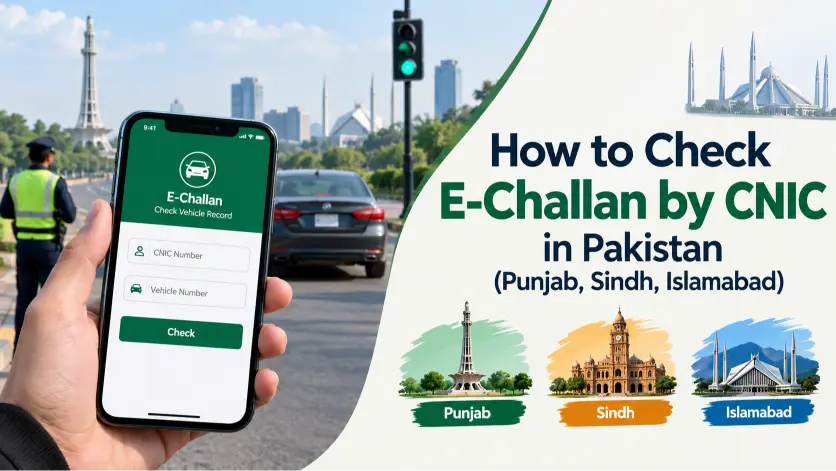
Quick Answer: Yes, you can check your e-challan using only your 13-digit CNIC in most of Pakistan. In Punjab, go to echallan.psca.gop.pk, select “CNIC,” and enter your number without dashes — this shows challans for every vehicle registered under your name. Sindh and Islamabad also support CNIC-based lookup, though some portals ask for your vehicle number alongside CNIC for accurate matching. If nothing appears, wait 24–48 hours (new challans take time to upload) or search by vehicle registration number instead.
Key Facts
| CNIC format required | 13 digits, no dashes or spaces (e.g. 3520112345678) |
| Provinces with CNIC search | Punjab, Sindh, Islamabad |
| Official Punjab portal | echallan.psca.gop.pk |
| What CNIC search shows | Challans for every vehicle registered under your name |
| Time for new challan to appear | 24–48 hours after issue |
| PSID | Payment Slip ID — needed to pay online, at an ATM, or in a bank branch |
Why Use CNIC Instead of Vehicle Number?
When a vehicle is registered in Pakistan, the owner’s 13-digit CNIC is linked to it in the national database. Traffic portals use that link to pull up every challan tied to vehicles under your CNIC — useful if you own more than one vehicle and want your full fine history in one search, instead of checking each vehicle separately.
| Search Type | What It Shows | Best For |
|---|---|---|
| CNIC Number | Challans for all vehicles under your name | Checking your complete record at once |
| Vehicle Number | Challans for one specific vehicle | Checking a single vehicle |
| Chassis Number | Used for additional verification only | When the number plate isn’t available |
As of 2026, CNIC-based lookup works in Punjab (via PSCA), Sindh (via the provincial traffic/Excise system), and Islamabad (via ITP). KPK and Balochistan are still building out their digital challan systems, so CNIC search is limited or unavailable there.
How to Check E-Challan by CNIC in Punjab
Punjab runs the most developed e-challan system in the country. The Punjab Safe Cities Authority (PSCA) operates over 8,000 Safe City cameras in Lahore alone, monitoring violations 24/7 across Lahore, Rawalpindi, Gujranwala, Faisalabad, Multan, Bahawalpur, and Sargodha. Every detected violation is linked to the vehicle owner’s CNIC through the DLIMS (Driving License Information Management System) database, and the only platform you should use is echallan.psca.gop.pk.
What you’ll need:
- Your 13-digit CNIC (no dashes)
- Vehicle registration number, as a backup if CNIC search fails
- Chassis number, for some verification cases
Steps:
- Go to echallan.psca.gop.pk
- Select “CNIC” as your search type
- Enter your 13-digit CNIC — no dashes or spaces
- Click Search / Check Challan
- Review all challans linked to vehicles under your CNIC
- Click any challan for full details: violation type, fine amount, date, camera location
- Note the PSID if you plan to pay online
Common mistakes: entering CNIC with dashes, checking a challan issued less than 24–48 hours ago, using an outdated browser, or hitting the portal during maintenance — in which case, just try again after a few hours.
If a challan doesn’t show and you think it’s an error rather than a timing issue, our wrong e-challan appeal guide walks through the PSCA appeal process.
How to Check E-Challan by CNIC in Sindh
Sindh’s system is separate from Punjab’s and combines physical enforcement with camera-based detection through the Excise & Taxation Department’s database and Karachi’s Safe City / ANPR network. Coverage has been expanding through 2025–2026 across Karachi, Hyderabad, Sukkur, and Larkana.
Unlike Punjab, Sindh doesn’t route through one single branded portal — checks are handled through the Sindh Police traffic system and the Excise & Taxation Department’s online verification, and some portals ask for your vehicle number alongside CNIC rather than CNIC alone, for accurate owner matching.
Steps:
- Go to the official Sindh Police or Excise & Taxation Department traffic portal — type the address directly into your browser rather than clicking a link
- Select CNIC as your search option, if available
- Enter your 13-digit CNIC (add your vehicle number too, if the field is offered)
- Submit and review the challan records shown
If your vehicle was recently transferred or its registration details were recently updated, CNIC-linked challans may take longer to appear correctly — in that case, search by vehicle number instead. If nothing appears after 48 hours, that usually means the challan is genuinely not on file yet, or your vehicle isn’t registered under that CNIC — contact the Sindh Traffic Police helpline for manual verification.
How to Check Islamabad E-Challan by CNIC
Islamabad Traffic Police (ITP) manages an independent system covering the federal capital, checked through the official ITP portal or the Islamabad Safe City platform. Avoid third-party sites that claim to show Islamabad challan records — use only the official government URL.
What you’ll need:
- 13-digit CNIC
- Vehicle registration number, for cross-verification
- Challan number, if you received one via SMS
After searching, the portal shows every active challan linked to your CNIC, the violation type and date, the fine amount in PKR, the payment due date and current status, and an option to download or reprint the challan. If you received an SMS with a challan number, you can search by that number directly instead of CNIC.
Note: if your vehicle is registered in one province but the violation happened in another — say, a Punjab-registered car ticketed in Islamabad — the challan may show up on the Islamabad system rather than PSCA. Check the portal for the province where the violation occurred, not where the vehicle is registered.
What You’ll See After a CNIC Challan Search
- Vehicle and owner details — registration number, vehicle type, and registered owner name, so you can confirm the challan is actually yours
- Violation type — signal jumping, overspeeding, wrong parking, no helmet, mobile phone use while driving, lane violations, driving without a license, and similar
- Fine amount and due date, shown in PKR
- Status — pending, paid, under process, or expired, plus your PSID if payment is still due
Common Punjab fine amounts for reference:
| Violation | First Offense | Repeat Offense |
|---|---|---|
| Signal Jumping | Rs. 2,000 | Rs. 5,000 – 15,000 |
| Overspeeding | Rs. 2,000 – 5,000 | Rs. 15,000 – 20,000 |
| Wrong Parking | Rs. 2,000 | Rs. 5,000 |
| No Helmet | Rs. 2,000 | Rs. 5,000 |
| Excess Passengers | Rs. 3,000 | Rs. 5,000+ |
| Driving Without License | Rs. 5,000 | Rs. 15,000+ |
For the fuller breakdown of penalty points and consequences, see our excess passengers, window tint & lane violation fines guide.
Fixing Common CNIC Search Problems
Invalid CNIC format. Enter all 13 digits as one continuous string — no dashes, spaces, or extra characters. 3520112345678, not 35201-1234567-8.
“No Record Found.” This usually means one of: the vehicle isn’t registered under that CNIC, the challan was issued too recently to be uploaded yet, there’s a mismatch between your CNIC and the registration record, or (common with recently purchased vehicles) the challan is still linked to the previous owner’s CNIC. Try a vehicle-number search instead, and if the issue persists, visit the relevant traffic police office in person.
Portal errors. Government portals occasionally go down under load or maintenance. Wait a few hours, try a different browser or clear your cache, or switch networks before assuming something’s wrong on your end.
Recently issued challan not showing. Give it 24–48 hours. Automated systems need time to process and link a new challan to the correct CNIC — see our guide on why your e-challan isn’t showing online for a deeper breakdown.
Paying Your Challan After CNIC Verification
Once you’ve found and confirmed your challan, note the PSID (Payment Slip ID) and pay through any of these:
| Method | How | Processing Time |
|---|---|---|
| JazzCash | App → Bill Payment → Govt Services → Enter PSID | Instant |
| EasyPaisa | App → Pay Bills → Traffic Challan → Enter PSID | Instant |
| 1-Link ATM | ATM → Bill Payment → Enter PSID | 24–48 hours |
| Online Banking | Bank portal → Govt Payments → Enter PSID | 24–48 hours |
| Bank Branch (NBP) | Visit branch in person with PSID | 24–48 hours |
JazzCash and EasyPaisa are the fastest options and both are free. Not sure how to generate a PSID in the first place? See our PSID generation guide.
After paying, keep your transaction ID or receipt. Status updates usually reflect within 24–48 hours — search your CNIC again to confirm it shows “Paid.” If it’s still pending after 48 hours despite a successful payment, see e-challan paid but still showing unpaid or contact the relevant traffic authority with your payment proof.
Staying Safe While Checking Online
- Use only official government portals. Type the URL directly into your browser rather than clicking links from SMS or social media.
- Watch for fake challan SMS. A genuine challan SMS only directs you to an official portal — it will never ask for your bank account number, OTP, or password, and it will never ask you to send money directly to a JazzCash or EasyPaisa account. If something looks off, don’t click — go to the official portal and search manually instead. Our fake e-challan SMS scam guide covers what these scams look like in detail.
- Protect your CNIC. Only enter it on official government sites, never share it in WhatsApp groups or on social media, log out of shared or public computers after checking, and avoid posting screenshots that show your full CNIC. If you suspect your CNIC has already been misused for a fraudulent challan, see our guide on CNIC and e-challan fraud in Pakistan.
FAQs
Can I check e-challan only with CNIC in Pakistan?
Yes, in most cases — especially in Punjab through echallan.psca.gop.pk. Some provinces may ask for a vehicle registration number alongside CNIC for accurate matching. If CNIC alone returns nothing, try combining it with your vehicle number.
Is CNIC-based e-challan checking available in Punjab?
Yes. Punjab’s PSCA portal fully supports it — visit echallan.psca.gop.pk, enter your 13-digit CNIC, and every challan linked to vehicles under your name will appear.
How can I check Sindh e-challan online by CNIC?
Visit the official Sindh Police or Excise & Taxation Department traffic portal and look for the CNIC search option. If it’s not available, search by vehicle registration number instead.
Why is my challan not appearing after entering CNIC?
Usually one of: the challan was issued in the last 24–48 hours and hasn’t synced yet, your vehicle isn’t registered under that CNIC, the CNIC was entered in the wrong format, or the portal has a temporary issue. Try again the next day, or search by vehicle number.
Can I pay e-challan online after CNIC verification?
Yes. Note the PSID shown on the portal, then pay via JazzCash, EasyPaisa, a 1-Link ATM, online banking, or a National Bank of Pakistan branch. Payment usually reflects within 24–48 hours.
Is it safe to enter my CNIC on e-challan websites?
Only on official government portals like echallan.psca.gop.pk. Never enter your CNIC on third-party sites, and always type the URL directly rather than clicking a link from SMS or social media.
Next Steps
Check your challan status regularly and pay on time to avoid penalty points and license issues. If you’d rather search by vehicle number, see our general e-challan check guide, or jump straight to your city: Lahore, Karachi, Islamabad, Multan, or Gujranwala.
Disclaimer: This website is not an official government platform. This guide is provided for informational purposes only to help Pakistani users navigate official traffic challan systems correctly.
Azam Malik is the founder of echallanpak.com, a platform dedicated to helping users in Pakistan check their traffic e-challan quickly and easily. He focuses on building simple, user-friendly online tools and guides that make government-related processes more accessible to the public.
With a strong interest in web development and digital solutions, Azam Malik ensures that all content on the site is clear, accurate, and regularly updated for a better user experience.
Note: echallanpak.com is an independent informational website and is not affiliated with any government authority.
 English
 English
 Pashto
 Urdu
Urdu